How to Build Your Second Brain in Claude Projects (A Step-by-Step Guide)
Introduction
Building a second brain means offloading your knowledge, ideas, and research to a digital system you can query and trust. While many tools like NotebookLM offer this promise, I’ve found that Claude Projects provides a more flexible and powerful foundation for a personal knowledge base. NotebookLM may be polished—its audio overviews and document uploads are top-notch—but Claude Projects lets you control context, apply custom instructions, and keep everything organized in a single workspace. In this guide, I’ll walk you through exactly how I built my entire second brain in Claude Projects, step by step. By the end, you’ll have a system that’s more adaptable and personal than anything NotebookLM can currently offer.
What You Need
Before you start, gather these prerequisites:
- A Claude account (Pro or Team plan recommended for Project features and longer context windows).
- Access to Claude Projects (available via the web interface).
- Your knowledge sources: documents, notes, PDFs, web clippings, or transcripts.
- A clear objective for your second brain (e.g., research repository, writing assistant, personal journal).
- 15–30 minutes of focused time to set up the initial structure.
Step 1: Create a New Project in Claude
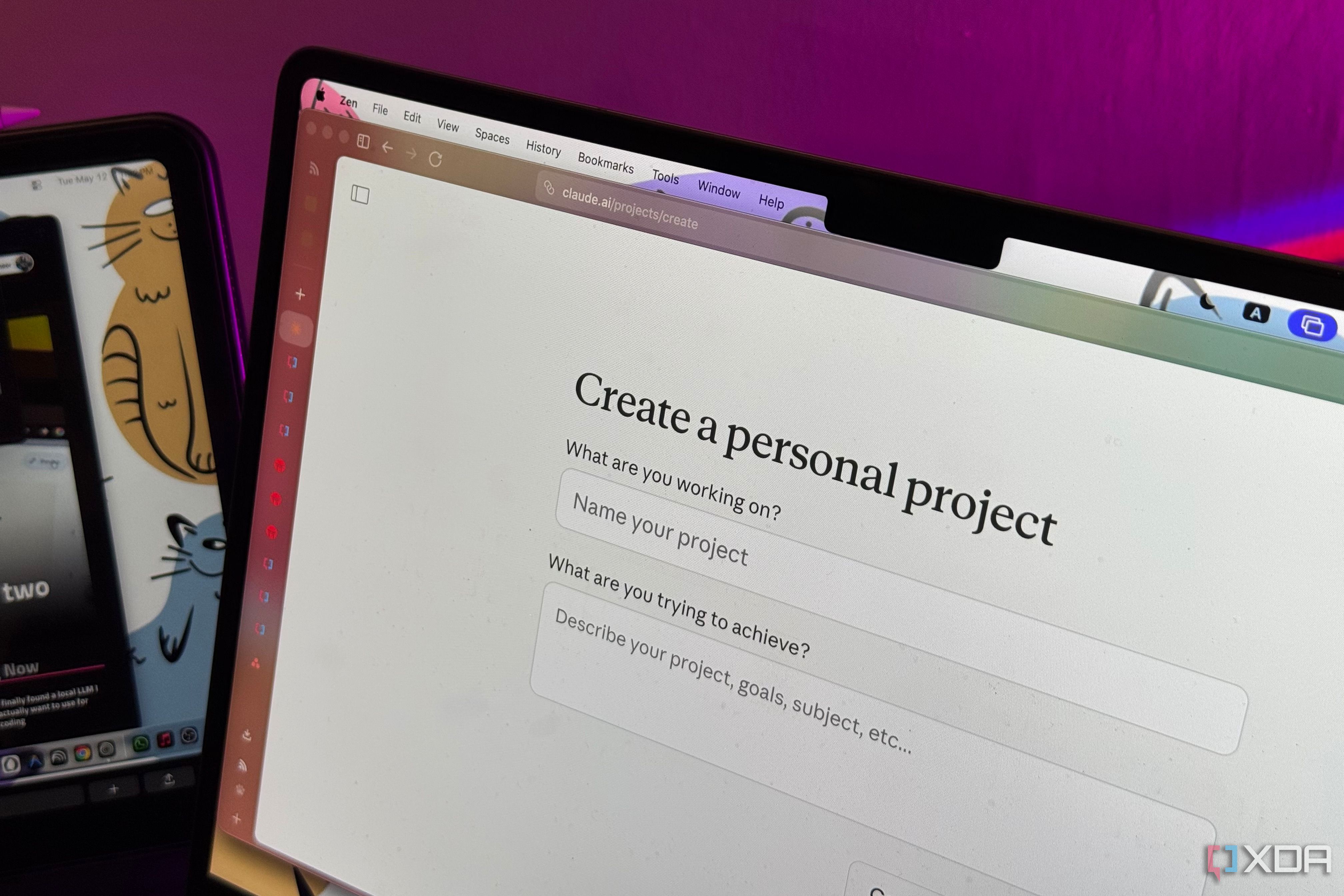
Navigate to Claude’s project dashboard and click Create Project. Give it a meaningful name—something like “My Second Brain” or “Knowledge Base.” You’ll also want to write a short description. This isn’t just cosmetic; the description helps Claude understand the project’s purpose from the start. For example: *“Personal knowledge base for research, writing, and learning. Contains notes, articles, and highlights.”*
Projects in Claude let you bundle files, custom instructions, and conversation history together. This is the single container that will become your second brain.
Step 2: Define Your Project’s Knowledge Base
Click on the Knowledge tab inside your new project. Here you can upload files that Claude will read and remember across all interactions within this project. Upload anything that forms the core of your brain: book notes, research papers, PDFs, transcripts of podcasts, or even your own journal entries. The more high-quality material you add, the smarter your second brain becomes.
Tip: Start with your most valuable sources. Claude can handle large contexts (up to 200K tokens in Pro), so don’t be afraid to include entire books or long reports. Organize them by topic or date for easy retrieval later.
Step 3: Craft Custom Instructions to Shape Your Brain
This is where Claude Projects truly outshines NotebookLM. In the Instructions tab, write a detailed prompt that tells Claude how you want to interact with your knowledge. For example:
- “You are my second brain. When I ask a question, first search the uploaded knowledge for relevant information. Summarize key points. If I share a new idea, ask me clarifying questions before adding it to my knowledge base.”
- “Maintain a consistent tone: clear, factual, and supportive. When in doubt, prefer citing sources.”
- “If I haven’t interacted for more than a day, prompt me to review recent notes.”
These custom instructions turn Claude from a generic AI into a personal assistant that behaves exactly how you want. You can refine them over time.
Step 4: Start Populating Your Brain with Conversations
Now begin the real work—talk to Claude about your materials. Ask questions, request summaries, or even have it generate connections between different files. For example, upload a PDF of a book on productivity and a transcript of a podcast about habits. Then ask Claude: “What are the three most important habits from both sources?” This is where the magic of a second brain happens: synthesis across knowledge domains.
Because Claude remembers the entire chat history within the project, every conversation builds on previous ones. You can also use the search feature to find past insights. Over weeks, this becomes an ever-growing, interconnected web of ideas.
Step 5: Organize with Sub-Projects (Optional but Recommended)
If your second brain grows large, consider creating separate projects for different domains. For instance:
- Project: Creative Writing – story ideas, character sketches, research.
- Project: Career Knowledge – industry reports, courses, notes from meetings.
- Project: Personal Journal – reflections, goals, daily logs.
You can still ask Claude to cross-reference across projects by mentioning both project names. But keeping them separate helps maintain focus and avoids context fatigue. In the main project, you can include an index note that lists all sub-projects with their purposes.
Step 6: Establish a Regular Input Routine
For your second brain to stay useful, you need to feed it daily or weekly. Set a recurring reminder to review and add new materials. When you read an article, copy the key points into a text file and upload it to your project. When you have a breakthrough idea, chat with Claude and ask it to save the insight in a note within the conversation. You can even ask Claude to create a summary document you can export later.
This routine transforms Claude from a passive repository into an active partner in thinking.
Step 7: Iterate and Refine Your Setup
After a few weeks, review how you’re actually using the brain. Are the custom instructions still helpful? Do you need to add more knowledge? Should you split off a sub-project? Claude Projects are easy to reconfigure—you can add or remove files, edit instructions, and start new conversations without losing context. Treat this setup as a living system, not a one-time project.
Conclusion & Tips
Building a second brain in Claude Projects gives you a level of control and personalization that NotebookLM can’t match (yet). NotebookLM excels at generating audio overviews and has a sleek interface, but it lacks the custom instructions, project-level isolation, and long conversation memory that make Claude Projects a true second brain. If you value deep synthesis and a system that adapts to your thinking, this is the way forward.
Tips for success:
- Start small—upload just 5–10 high-value files and refine instructions before scaling.
- Use descriptive file names so you and Claude can find them easily.
- Don’t be afraid to ask Claude to critique or improve your own thinking. It can spot contradictions.
- Backup your project data occasionally by exporting conversations or saving key summaries.
- If you ever feel lost, revisit your custom instructions—they are the operating system of your brain.
With these steps, you’ll have a second brain that’s smarter, more responsive, and fully yours.
Related Articles
- Volla Phone Plinius: A Rugged Mid-Range Smartphone with Dual OS Freedom
- Biwin M350 2TB SSD Q&A: Is It the Best Budget PCIe 4.0 Drive?
- The Top Exercise for Easing Knee Osteoarthritis Pain: A Q&A Guide
- The Sunset of Cheap AI Subscriptions: 7 Critical Changes You Must Know
- Understanding the Cruise Ship Hantavirus Outbreak: Key Questions Answered
- UX Alert: Misused Modals Sabotage User Flow – Experts Demand Better Design Decisions
- Ultimate Guide to Streaming the Old Firm Derby: Celtic vs Rangers Live Online (2025/26 Season)
- Ultrawide Monitor Guide 2026: Top Picks for Gaming, Work, and More