How to Prepare for Your Apple Card’s Move from Goldman Sachs to Chase
Introduction
Your Apple Card is about to get a new home. The partnership between Apple and Goldman Sachs is ending, and over the next year or two, Chase will take over as the issuing bank. Apple has published some details about what will and won’t change during this transition. This guide breaks everything down into clear steps so you know exactly what to expect—and what, if anything, you need to do.
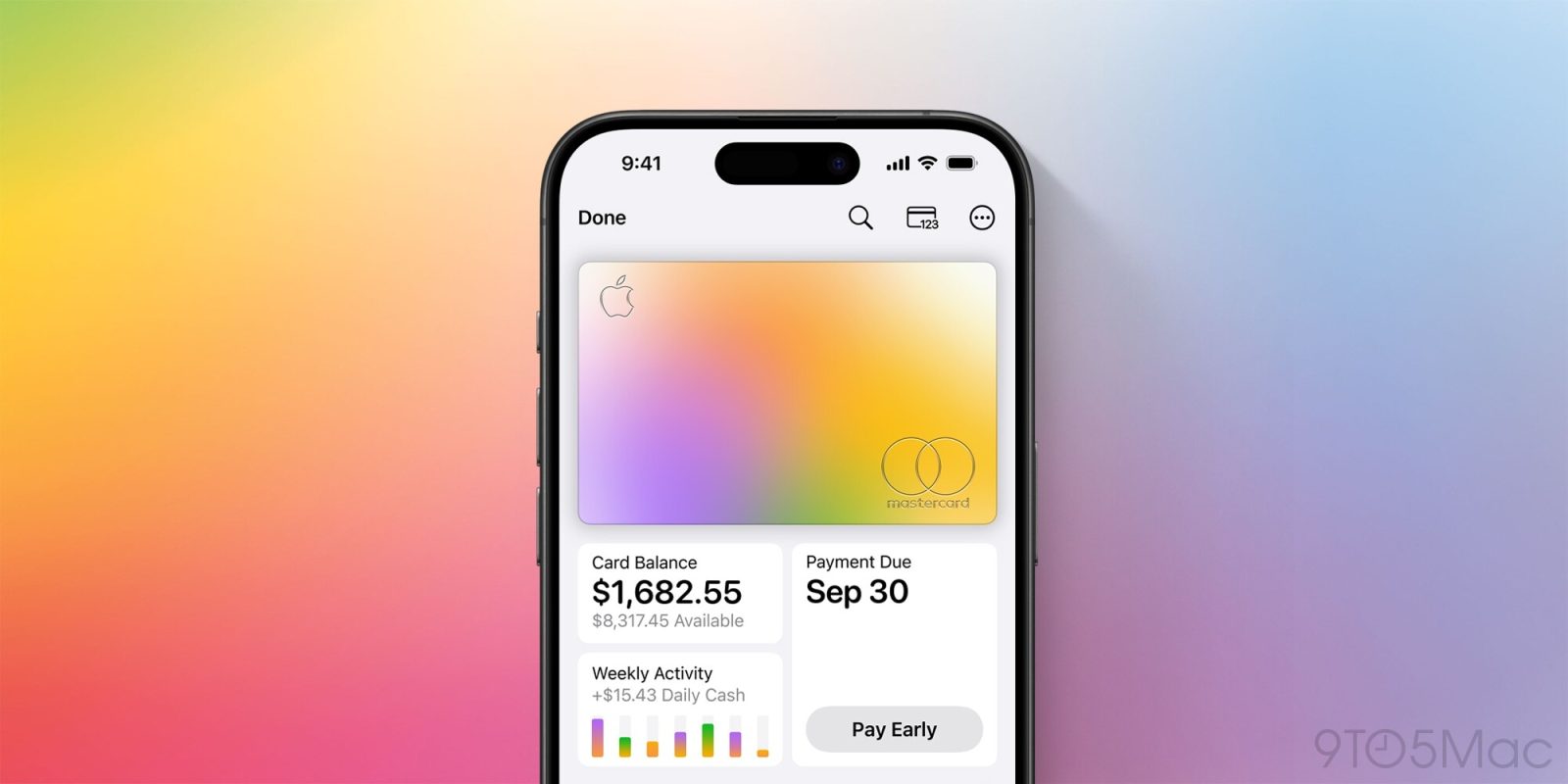
What You’ll Need Before You Start
- An active Apple Card account (linked to your Apple ID)
- An iPhone or iPad with the latest version of iOS or iPadOS
- The Wallet app on your device (where you manage the card)
- Access to the email address associated with your Apple ID (for transition notifications)
- Optional: a computer to read any PDF disclosures Chase may send
Step‑by‑Step Guide
Step 1: Understand the Timeline
Goldman Sachs will not exit overnight. The switch to Chase will happen over one to two years. Apple will send you updates before key milestones—usually via email and a notification in the Wallet app. During this period, your card will continue working normally with Goldman Sachs as the backend processor.
Make sure your contact information is up‑to‑date in your Apple ID settings so you don’t miss any alerts.
Step 2: Know What Stays Exactly the Same
According to Apple, many features will not change after Chase takes over. These include:
- Card design and materials – The physical titanium card looks and feels identical.
- Apple Cash and Daily Cash – You’ll still earn and manage cash rewards the same way.
- Interest rates and fees – Your APR, late fees, and other charges remain as they are today (unless Chase later adjusts them with proper notice).
- Integration with Wallet – The card stays inside the Wallet app, and all your virtual card numbers continue to work.
- Security and privacy – Apple’s stance on not sharing transaction data with third parties remains in effect.
Nothing on your end needs to change for these features to keep working.
Step 3: Identify What Might Be Different
Some elements could shift under Chase’s management. Apple has hinted at potential changes in these areas:
- Customer service – The phone number and support chat may eventually route through Chase instead of Goldman Sachs.
- App interface – While the card lives in Wallet, the underlying banking portal (if any) might have a different look or URL when you need to view statements or download tax documents.
- New features or card benefits – Chase might introduce benefits (like rental car insurance or purchase protection) that Goldman Sachs didn’t offer. Keep an eye on your email for updated terms.
Apple promises to notify you before any material changes take effect, so you won’t be caught off guard.
Step 4: Take No Action (Unless Notified)
One of the most important things to know: you don’t need to do anything proactively. The transition happens automatically. Your card number, expiration date, and CVV will not change—unless Chase informs you otherwise much later. Do not apply for a new card or close your account; that would reset your credit history and rewards.
If you receive a physical card from Chase in the mail, do not activate it unless it replaces your existing titanium card. Usually, you’ll get a new card only if the terms change significantly. Follow the instructions that come with it.
Step 5: Watch for Official Communications
Apple and Chase will send you updates through the following channels:
- Email – Check your primary Apple ID email at least once a month.
- Wallet app notification – A banner may appear when you open the app.
- SMS – If you’ve opted in for texts, you may receive brief alerts.
Ignore unofficial messages claiming to be from “Apple Card Support” or “Chase” that ask for your password or Social Security number. This is a prime time for phishing scams. Always verify the sender’s domain.
Step 6: Review Your Statements During the Transition
While the switch is happening, it’s wise to monitor your monthly statements for any discrepancies. Your statement will come from Goldman Sachs until the official cut‑over date, and then from Chase after that. If you see a charge you don’t recognize or a change in your due date, contact support immediately using the official number in the Wallet app.

Keep a record of your last statement from Goldman Sachs for your tax and budgeting files.
Step 7: Update Payment Methods (If Necessary)
If you use Apple Pay with a third‑party service (e.g., Uber, Starbucks) that saves your card token, those tokens are tied to the card number—which shouldn’t change. However, if you have auto‑pay set up for your Apple Card bill through a different bank, your bill payment method remains the same. No action needed there either.
Only update payment info if you receive a specific request from Apple or Chase to re‑authenticate a linked account.
Step 8: Know What to Do If You Have Problems
If anything goes wrong—e.g., your card stops working in Wallet, you can’t see your balance, or a transaction is declined—try these steps in order:
- Force‑quit the Wallet app and reopen it.
- Restart your iPhone.
- Check Apple’s System Status page (external link) for any outages.
- Call Apple Card support directly on the number inside the Wallet app (still Goldman Sachs during the transition, but they’ll route you to Chase if needed).
- If all else fails, email Apple Card support through the Wallet app’s “Message” feature.
Because the transition is gradual, you’ll have two banks ready to assist if something breaks. Don’t hesitate to reach out.
Tips for a Smooth Transition
- Do not cancel your Apple Card – Your credit history and rewards are tied to this card. Cancelling now would close the account before Chase takes over, hurting your credit score and wasting any accumulated Daily Cash.
- Keep your device updated – Install iOS updates promptly. They often include bug fixes for Wallet and Apple Pay that help the transition go smoothly.
- Beware of phishing – Scammers love major bank migrations. Never click links in unsolicited texts or emails claiming to be from Apple or Chase. Only interact via the official Wallet app or known URLs.
- Set a calendar reminder – Mark a date 12 months from now to review your Apple Card terms again. By then, the switch may be complete and you’ll want to see if Chase has made any changes.
- Keep your address current – If you move during the transition, update your Apple ID address. Chase will need a valid address to send any future required disclosures or a new physical card.
The move from Goldman Sachs to Chase is largely invisible to you. By following these steps and staying informed, you can enjoy your Apple Card without interruption—and maybe even benefit from new perks down the road.
Related Articles
- Anchorage Digital and M0 Join Forces to Streamline US-Regulated Stablecoin Launches
- Designing Human-in-the-Loop AI: A Step-by-Step Guide to Preserving Accountability
- How to Install and Use Orion for Linux Beta with New Content Blocker and Download Manager
- Reflections on Gratitude, Community, and the Future of AI
- Mastering the BOOX Tappy: A Complete Guide to Pairing and Using Your 2-Button Bluetooth Remote
- 10 Pillars of the Rural Guaranteed Minimum Income Initiative: A Blueprint for Economic Security
- How to Campaign for the Release of an Imprisoned Digital Rights Activist
- Exploring In a first, a ransomware family is confirmed to be quantum-safe